Posts

Showing posts with the label php

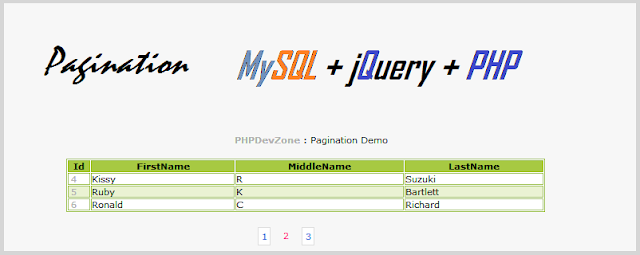
Simple Pagination using jquery,mySql and PHP
Image
In this post we are going to learn about pagination using jQuery,MySQL and PHP.This is very simple tutorial.It has four files which are as below. (1) config.php file     - For the database connection details. (2) index.php file     - Main file that display the result to the user. (3) data.php file     - File having code to fetch the data from the table. (4) pagination.js file     - Javascript file for acting as a data controller Download Full Source Create Database table CREATE TABLE IF NOT EXISTS `users`(  `id` int(10) NOT NULL AUTO_INCREMENT,  `FirstName` varchar(200) NOT NULL,  `Middlename` varchar(200) NOT NULL,  `LastName` varchar(200) NOT NULL,  PRIMARY KEY (`id`) ) config.php file Change the values of hostname,username,password and database name <?php $mysql_hostname = "localhost";  $mysql_user = "root";  $mysql_password = "";  $mysql_database = "test";  $con = mysql_connect($mysql_hostname, $...

Add Meta Description and Meta Keywords in opencart

Image
In this tutorial we will see how to add meta description and meta keywords in opencart.Just follow the steps given below. Step 1 : Add new fields "Meta Keywords" and "Meta Description" in the database In order to add Meta Keywords and Meta Description in pages we first have to add Meta Description and Meta Keywords  fields into the database in the table called as information_description. Simply Run the following query: ALTER TABLE `information_description` ADD `meta_description` VARCHAR( 255 ) NOT NULL, ADD `meta_keywords` VARCHAR( 255 ) NOT NULL Note: please consider if you have database prefix or not.(Example: oc_) if so then use "oc_information_description. Step 2 : Add two Text boxes in admin panel Go to : admin/view/template/catalog/information_form.tpl file and search for the $entry_description code and insert the code given below just before it: <tr>    <td><?php //echo $entry_meta_description;?>Meta Description</td>    <td...

Login Form Using Ajax and jQuery

Image
Hi friends, In the last post labeled under ajax category you learnt how to make user poll script using ajax and php.In this post we'll be creating an ajax login form using jquery and php. This post contains five simple steps which are as below. First of all we are creating database that contains the data of the registered users.To create the database just copy and paste the code given below in the step:1 Step:1 Create table - registered_users CREATE TABLE IF NOT EXISTS `registered_users`( `id` int(10) NOT NULL AUTO_INCREMENT, `name` varchar(20) NOT NULL, `password` varchar(50) NOT NULL, PRIMARY KEY (`id`) ) Download Source Now we have database of the users.Its time to create a login form through which user can login.Create file named index.php and copy paste the code of step:2. Step:2 Create file - index.php In index.php file we'll have the small login form through which user can enter Username and Password.Entered data will be checked against the correct credentials for the...

Online Users script using PHP and MySQL

Image
While surfing internet you may have seen many websites which displays the number of online users. In this post we are going to learn how to create the similar script using PHP and MySQL.But before reading  this  post further,if you haven’t read my previous post then please have a look at “ Visitors Counter Script ”.After reading  that post your basic concepts regarding this will gets more clear. This script is very simple and has only two steps which are as below. Step: 1 Create table : “online_users” CREATE TABLE `online_users` ( `session` char(100) NOT NULL default '', `time` int(11) NOT NULL default '0' ) TYPE=MyISAM; Step:2 Create file : online_users.php <?php session_start(); $session=session_id(); $time=time(); $time_check=$time-300; //We Have Set Time 5 Minutes $host="localhost"; // your Host name $username="root"; // your Mysql username $password=""; // your Mysql password $db_name="test"; // your Databasename $tbl_na...

Methods of Increasing file upload size in PHP

It often becomes a major headache to continue file uploading in PHP due to limitations in maximum file upload size. Increasing memory limits in PHP and increasing PHP upload size are two completely different worlds of determinations. Default option allows PHP upload size be limited between 2MB to 10MB. Most servers are developed on PHP scripts which make it open to initiate changes in upload limits. Errors are common with developers finding it hard to select higher upload sizes. We have given a few steps which can help to ensure increasing file upload size in PHP. Configuration Options The following configurations need to be set in order to prepare the increase in upload limitation. ‘upload_max_filesize’ is a command that ensures increasing the upload file size. ‘memory_limit’ allow developers to set maximum limits within the script. This allows the desired file size to be allocated. This is a very important command that helps preventing poorly written scripts to...

Date validation in PHP

Image
In this post we will see how to validate date in PHP. Date that you want to test may have various Formats Like… => YYYY-MM-DD => DD/MM/YYYY => MM-DD-YYYY => DD-MM-YYYY => YYYY-MM-DD and so on.. We will see mostly used formats. Date in the other format  can easily be validated by making small changes in the existing code. So, let’s have look at them. YYYY-MM-DD Format $date = '2013-05-14'; //Date that needs to be tested goes here  function isItValidDate($date) {  if(preg_match("/^(\d{4})-(\d{2})-(\d{2})$/", $date, $matches))    {    if(checkdate($matches[2], $matches[3], $matches[1]))     {       return true;     }   }  }  if(isItValidDate($date))  {    echo 'It’s a valid Date. ';   }   else  {   echo 'Entered Date is invalid..!!';   } DD/MM/YYYY Format $date = '14/05/2013';  //Date that needs to be tested goes here  fu...

Practical PHP Tutorial - Master Page I

Chapter 4 Master Page, what is master page? We always here this term whenever we come to server side programming, but what is it? what is the use of it? how and when do we use it? Well, lets come to our project. We have a structure here so far. Let me give the content of the html of the page's body. <div class="center-it" id="main-container"> <table style="width:100%; margin-bottom: 50px;" id="page-holder"> <tr style="vertical-align: top"> <td style="width: 250px"> <div id="div-header"></div> <div id="div-category"></div> </td> <td> <div id="div-cpanel"></div> <div id="div-menu"></div> <div id="div-page"> ::::::::::::::::::::::::::::::::::::::::::::::::: </div> </td> </tr> </table...

PHP: Unable to load dynamic library suhosin.so in Debian sid

When you install php5 in Debian sid, you'll get following warning after updating. PHP Warning:  PHP Startup: Unable to load dynamic library '/usr/lib/php5/20100525/ suhosin.so' - /usr/lib/php5/20100525/ suhosin.so: cannot open shared object file: No such file or directory in Unknown on line 0 And you will get a punch of   annoying  system mail. Orz After searching on google, I got the answer from Debian bug mailing list. http://bugs.debian.org/cgi-bin/bugreport.cgi?bug=668739 The problem is the suhosin was obsoleted in Debian sid and it will be remove after system upgrading. But its configuration still exist in /etc/php5/conf.d. shawn:/usr/lib/php5$ dpkg --list | grep php5 | more ii  libapache2-mod-php5                5.4.4-14                  amd64        server-side, HTML-embedded scripting language (Apache 2 module) ii  php5         ...

Practical PHP Tutorial - Home Page

Chapter 3 Home Page, first page. Here is the plan: A column in left side content comprising Logo and Navigation List A right side container that has the page's main content A footer that has immediate links We are going to use Table Layout to achieve this. You can use relative, fluid or other layouts if you want. But for following the tutorial we are doing table layout. Lets start with the basic html syntax. <!doctype html> <html> <head> <meta charset="utf-8"> <title>My Trading Center</title> <link href="/styles/style.css" rel="stylesheet" type="text/css"> <script src="/scripts/jquery.js" type="text/javascript"></script> <script src="/scripts/script.js" type="text/javascript"></script> </head> <body> </body> </html> I hope you understand this syntax. Again, if you are not familiar with h...

Practical PHP Tutorial - Project Layout

Chapter 2 As I said in the introduction, we are going to develop a simulation of a online stock trading system. A very good project that helps us to cover every aspect of php. PROJECT FOLDERS Create a folder in you root directory named OnlineStock or anything you like. This is going to be our project folder. From now on I will refer this folder as root folder. Create the following folders in the OnlineStock folder. Also create respective files in the OnlineStock/ scripts/ script.js jquery.js styles/ styles.css images/ common/ index.php Note: All the folder names are recommended to be in lowercase only. This will ensure that users will not have difficulty in typing the url, as the php servers are really case sensitive. Scripts Folder will contain all the javascript files. The scripts file is created by you. You have to download the jquery.js javascript library. Please download the latest module from here . Styles Folder will contain all the css files. Images Folder accommodates the i...

Practical PHP Tutorial - Configuration

Image
Chapter 1 Editors Text editors for php can be as simple as notepad and as sophisticated as Dreamweaver. Its you wish. But I prefer to use  webmatrix  by Microsoft or  SublimeText . These are really simple to configure and you. Or you can use  Notepad++ . The latter is simply a syntax highlighter. Servers Configuring server is a process needed for running php. Php is server side language. We can use following servers that provide facilities to host php and render them. XAMPP for Windows/Linux/Mac XAMPP is a popular server, supports all platforms, that packages all that we require PHP binaries -latest xampp has latest php binaries. phpMyAdmin - that is used to manage the tables and databases in MySQL MySQL - contains our databases FileZilla - and FTP manager that required to upload file to server(not this local server, but to your domain). Every prefers it as has everything in it by default. You can download it  here . WAMP Server It is a sub package of xampp, but...

Practical PHP Tutorial - Introduction

Chapter 0 Hi friends! Welcome to do some practicals in PHP. Searching for a tutorial that guides you through the features of web developing? Here you are, I am going to walk-through you in developing a fully working website constructed using HTML and PHP. 'course this includes CSS and some scripting. For better understanding, we will be developing a web application that simulates a typical Online Stock Trading system like ebay. Before we start, lets prepare a checklist that will ensure our progression in web development. A Server (I will tell you how to configure a one) Any text editor Cool! A long list(?). Well, whenever you are ready, let's dive in! If you already know HTML, CSS and JavaScript, you can go directly into developing Or you can do some research in them at w3schools  and come back

Sending Mail from Localhost

Image
For this solution you requires sendmail.exe (Its a CLI executable  which accepts email from PHP, connects to an SMTP server and sends email). Download the sendmail.zip and follow the steps given below: Step:1 Configuration of sendmail file First of all create a folder named “sendmail” in “C:\wamp\”. Now extract these 4 files: “sendmail.exe”, “libeay32.dll”, “ssleay32.dll” and “sendmail.ini” in the newly created folder. Open the “sendmail.ini” file and you have to configure it as following smtp_server=smtp.gmail.com smtp_port=465 smtp_ssl=ssl default_domain=localhost error_logfile=error.log debug_logfile=debug.log auth_username=[your_gmail_account_username]@gmail.com auth_password=[your_gmail_account_password] pop3_server= pop3_username= pop3_password= force_sender= force_recipient= hostname=localhost Here, no need to specify values for these properties:pop3_server, pop3_username, pop3_password, force_sender, force_recipient. Step:2   Gmail Account Setting Now what y...

How to Import CSV File Data Into Mysql Using PHP

Image
If you are a developer then definitely you might have faced this. Many times you  need to import data from a CSV (comma separated value) file and insert it into your MySQL database. Say for Example consider a case when you have many records in a CSV file and you need to import them into your MySQL database then you can’t  insert each n every single record manually as it will take too much time. This case arises mostly when you want to import existing data in your website. In this tutorial I am going to  explain you how easily you can do that. SQL query to create csvdata table: CREATE TABLE IF NOT EXISTS `csvtbl`(  `ID` int(10) NOT NULL AUTO_INCREMENT,  `name` varchar(50) NOT NULL,  `city` varchar(50) NOT NULL,  PRIMARY KEY (`ID`) ) csvimport.php File Download File <?php  //database connection details $connect = mysql_connect('localhost','root','123456'); if (!$connect) {  die('Could not connect to MySQL: ' . mysql_error());  } //your ...

Visitor Counter Script Using PHP

Image
If you have noticed that many websites display their total numbers of visitors.In this tutorial I am going to explain you how to create a simple visitor counter using php. For this, 1) Create one table called “visitor_counter” in your database. 2) Create file named “counter.php”. Step1: Creating “visitor_counter” Table CREATE TABLE `visitor_counter` ( `counts` int(10) NOT NULL default '0' ) Step2: Creating “counter.php” File <?php  // Database Details $host="localhost"; $username="root"; $password=""; $db_name="test"; $tbl_name="visitor_counter"; // Connect to server and select database. mysql_connect("$host", "$username", "$password")or die("cannot connect to server "); mysql_select_db("$db_name")or die("cannot select DB");  $sql="SELECT * FROM $tbl_name"; $result=mysql_query($sql); $rows=mysql_fetch_array($result); $counter=$rows['counts']; // se...

Account verification using PHP

Image
If you haven't read my previous article then, please Read This . It will be very helpful.So many times you may have experienced this , When you sign up to join any website, they may want to verify your email address by sending confirmation link to your email address. You'll learn how this thing works in this tutorial. In this tutorial, we are going to create  4 php files 1. join.php 2. join_ac.php 3. confirm.php 4. settings.php And 2 tabels 1. temp_users 2. registered_users Logic 1. When users sign up. We will create a random set of confirmation code. 2. Keeping the details and confirmation code in table "temp_users ". This is temporary table, we have to move this details  to table "registered_users" after email address has been verified. 3. After a sucessfull insertion of details into table "temp_users", send confirmation link to email that users used to sign up, if email is invalid they will not receive our email. 4. They have to click on confirm...